 Castfinish
Cut long pauses
Dead air goes. You set how long a pause is allowed to stay, and how quiet it must be to count as silence.
Pay once · runs on your computer
Cut long pauses, even out loudness, and keep video in sync. It all stays on this machine — nothing is uploaded.
Checkout and the trial download are not connected yet. Both links are placeholders.
A 7.70-second fixture with two long silent gaps. After finishing: 3.68 seconds, with 4.02 seconds of dead air removed. This is a test file, not a customer recording.
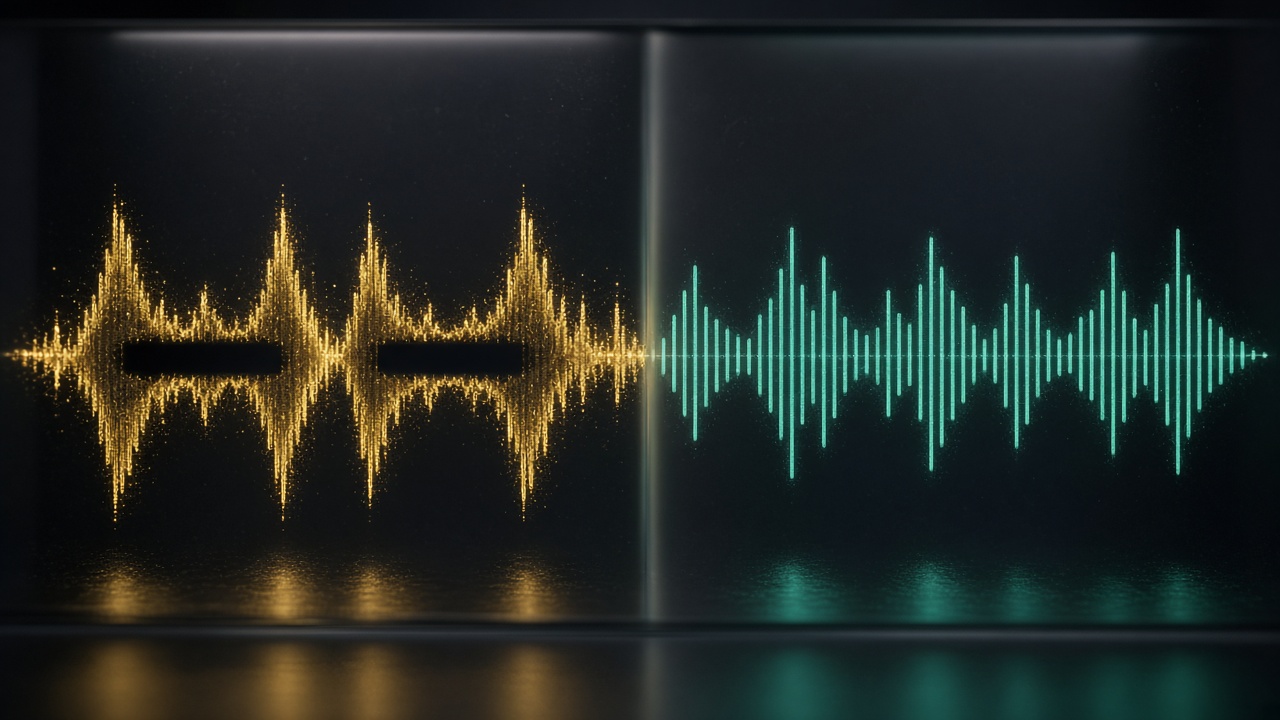
Loudness is also evened out. The same kind of cut is applied to video, so the picture stays in sync with the sound.
One job: finish a spoken recording. It is not a full timeline editor.
Dead air goes. You set how long a pause is allowed to stay, and how quiet it must be to count as silence.
Normalize to a standard target so an episode does not jump from a whisper to a shout.
When you drop an MP4, MOV or MKV, the picture is cut at the same places as the audio.
From the command line, point it at a folder of episodes. Files that fail are skipped with a clear message; the rest still finish.
No account. No internet required after you have the app. Nothing is uploaded. The app only listens on this computer (127.0.0.1).
WAV, MP3, M4A, AAC, FLAC, MP4, MOV and MKV. Export stays in a fitting container, or you can choose a format under Advanced.
Three steps in the local app. Your browser opens a page on this computer only.
Drag in an audio or video file, or click to choose one. It stays on this machine.
Choose YouTube, Podcast, or Audiobook. Or keep the default, Podcast at −16 LUFS.
Click Finish file. Preview the original and the result, then download the finished file.
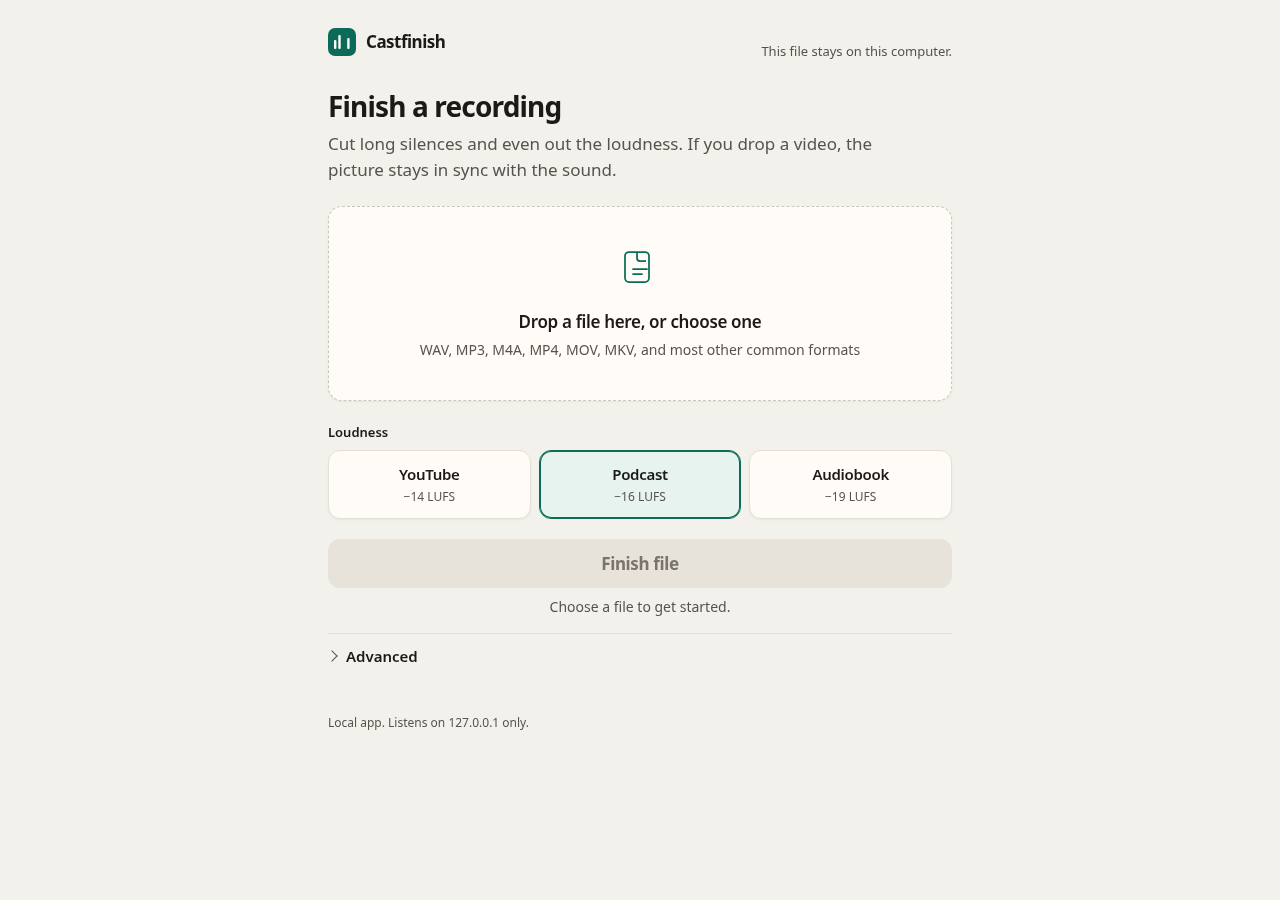
Extra controls (pause length, silence threshold, breath padding, export format, or a custom loudness target) are under Advanced. To process a whole folder, use the command-line batch mode that ships with the app. The clickable window is for one file at a time.
You do not have to remember a LUFS number. These three cover the usual targets. A custom value is available under Advanced.
LUFS. A common target for online video voice-over.
LUFS. The default for spoken episodes.
LUFS. A quieter, more conservative target.
Processing never leaves this computer. There is no cloud queue and no upload dialog, because there is no server of ours in the path.
Temporary copies live in a local work folder that you can delete when the app is closed.
Pay once, for one seat. No subscription. The figure itself is not set.
One payment. Local use, no hour cap.
Suggestion, not a published price: US$29–49 once. Monthly cloud finishing tools in the research notes typically charge about US$10–24 per month. An earlier internal draft used US$29 and US$49 for two license tiers. The current app already includes batch folders, video, and presets, so a single pay-once license may be enough. Confirm before checkout is connected.
Buy Castfinish The buy button is a placeholder. There is no payment account connected to this draft.The trial package includes Python and FFmpeg. You do not need to install them yourself. A regular desktop browser is used as the window.
| Windows | Windows 10 or 11, 64-bit. Tried on a real Windows 11 PC on 17 Nov 2026 (UTC+8, Malaysia time). |
|---|---|
| Linux | 64-bit (x86_64) Linux with a normal desktop browser. Tested. |
| macOS | Not yet. There is no macOS build at the moment. |
| Disk space | About 300 MB free for the app, plus room for your media and temporary files. |
No. Processing is local. Media is not uploaded to us, and the app does not need an internet connection to finish a file.
No. The plan is a single payment for a local license, when checkout exists. There is no payment link on this draft.
Windows 10 or 11 (64-bit) and Linux (x86_64). The Windows 11 trial passed on a real PC on 17 Nov 2026 (UTC+8, Malaysia time). Linux has been tested. macOS is not available yet.
Audio: WAV, MP3, M4A, AAC, FLAC. Video: MP4, MOV, MKV. If a chosen export format does not fit a file (for example MP3 on a video), that file keeps a fitting container.
Yes, from the command line that ships with the app. You point it at a folder; output goes to a finished folder (or a folder you choose). Files that cannot be read are skipped; the rest still finish. The clickable window is for one file at a time.
The engine uses FFmpeg, which is free and open. Castfinish is for people who want a finish button, loudness presets, video kept in sync, batch folder processing, and — once checkout is live — a stated refund if it fails on a supported system. You can still use FFmpeg directly if you prefer the command line alone.
Not for the trial package. Both are included in the folder. Unzip first, then start the app (Windows: double-click the launcher; Linux: run the start script).
A 7-day refund policy has been drafted, but it is not in force yet because there is no checkout. The wording still needs a final go-ahead before any sale.
The current trial is not code-signed. Windows may show “Windows protected your PC.” The packaged guide says to choose More info, then Run anyway, if you trust the copy you received. A signed release would need a decision later; this page does not treat that as done.
Not yet. There is no macOS package to offer today.
Castfinish uses FFmpeg under the GNU General Public License (GPL). We run FFmpeg as a separate program and do not modify it. The corresponding source for the FFmpeg build that ships with the app is offered on request. Python is included under the Python Software Foundation License. License texts travel with the trial package.